Do Air Purifiers Use a Lot of Electricity? My Real Costs Broken Down
I still remember a very hazy Tuesday in Seattle. Wildfire smoke covered the entire city that week. My eyes watered the second I walked outside. Staying inside felt like the only safe choice. I rushed online and bought a big HEPA air machine. Clean air filled my living room two days later. The constant soft hum helped me sleep at night. Then a sudden worry hit my brain. Running this machine all day and night might cost a fortune. Keeping my power bill low is always a big goal. Finding the real truth became my next project.
Why I Started Watching My Power Bill
Most home appliances warn you about huge energy pulls. A big yellow sticker usually shows the yearly cost. My new air machine lacked any clear warning signs. It just hummed along quietly in the corner. I started turning it off when I left the house. This seemed like a smart way to save some cash. Sadly, the room smelled stale when I came back home. Dust covered my dark wood tables almost instantly. Turning the unit off ruined my indoor air quality fast. I needed to know if running it non stop was safe for my wallet.
Using a Wall Meter Tool to Test
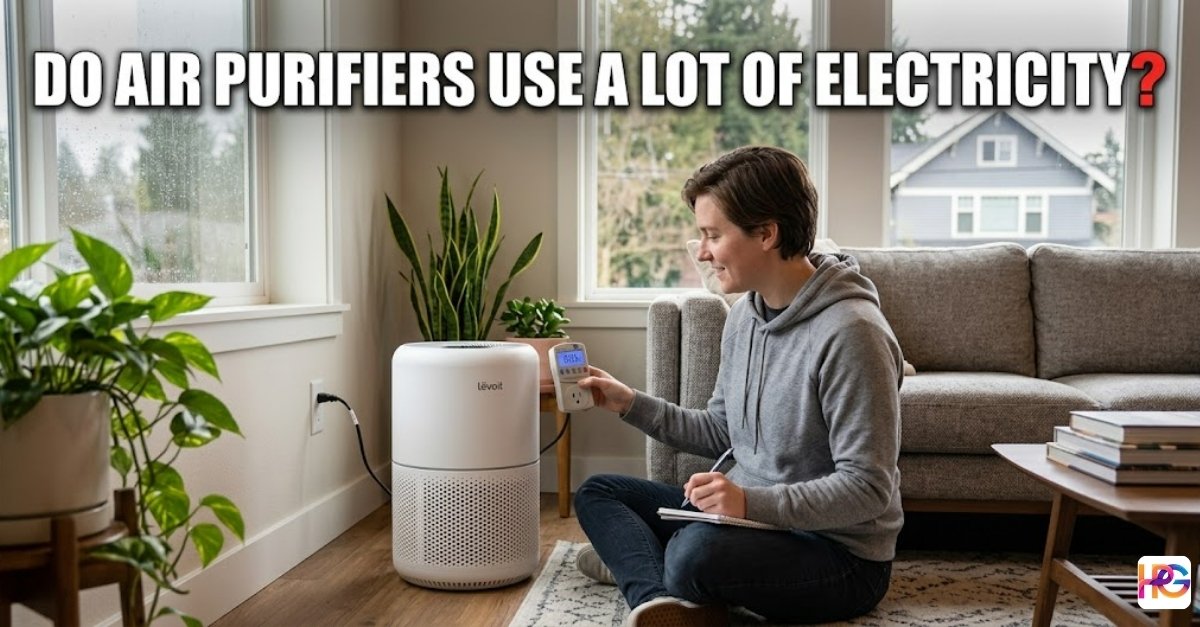
Trusting the factory sticker was not enough for me. I love testing tools and finding the real data. Buying a cheap plug meter gave me exact numbers. I plugged the air machine directly into the testing tool. Setting the fan to high showed fifty watts flat. Dropping the speed to low changed the game entirely. The meter fell down to just ten measly watts. These machines sip power instead of gulping it down. Seeing the real numbers gave me deep peace of mind.
The Average Wattage of Standard HEPA Purifiers
My first step was checking the back of the machine. A small silver sticker lists the power draw rating. My standard unit uses about fifty watts on high speed. That number sounded a bit scary at first glance. Fifty watts running all day feels like a huge drain. I decided to compare it to other stuff in my house. My old ceiling fan pulls about seventy five watts. A basic space heater uses fifteen hundred watts easily. Leaving one old light bulb on takes sixty watts. Air purifiers are actually surprisingly efficient appliances.
Reading the Appliance Tags Wrong
My early days of testing tools involved some silly failures. I used to confuse volts and watts all the time. Reading a tag that said one twenty volts scared me. I thought that meant it pulled massive power. Volts just describe the type of wall plug you need. Watts measure the actual juice your machine drinks up. Learning this simple difference changed how I view tools. Now I always look for the true wattage number. This keeps my monthly math highly accurate.
The Actual Monthly Cost of Running a Unit All Day
Makers of these devices say to leave them on forever. Turning them off lets bad dust settle in your room. I wanted to know the exact price of full time use. Doing the math required finding my local power rate. My utility company charges sixteen cents per kilowatt hour. This rate is pretty standard across the entire country. Let me show you how the math works out. Breathing clean air does not have to drain your wallet.
Breaking Down the Real Numbers
Running my fifty watt machine takes one point two kilowatts daily. Multiplying that by my power rate gives the daily cost. I pay roughly nineteen cents every single day. Multiplying that by thirty days equals five dollars and seventy cents. Paying less than six bucks a month feels totally fine. Buying one fast food burger costs way more than that. I can afford six bucks to keep my lungs happy.
| Device Type | Fan Speed | Daily Power | Monthly Bill |
| Air Purifier | High | 1.2 kWh | $5.70 |
| Air Purifier | Low | 0.2 kWh | $1.15 |
| Space Heater | High | 36.0 kWh | $172.80 |
| Ceiling Fan | Medium | 1.8 kWh | $8.64 |
How Clogged Filters Secretly Increase Energy Draw
There is a sneaky hidden cost you must watch out for. I learned this lesson the hard way last winter. My machine ran quietly in the corner for six whole months. I totally forgot to check the inside parts. Pet hair and thick dust packed into the paper pleats. The machine felt hot when I touched the plastic top. The internal fan fought hard to push air through the mess. That extra power raises your light bill every month. I heard the tiny motor straining to do its simple job.
The Cost of Lazy Maintenance
Dirty filters force the motor to pull more amps. My wall meter showed a ten percent jump in power. Wasting electricity is bad, but ruining the motor is worse. Buying a whole new machine costs way more than a filter. Now I set a clear reminder on my phone app. Swapping the old paper out takes me two short minutes. Fresh filters keep the air clean and the power draw low. Taking care of your tools saves you major headaches later.
What Energy Star Ratings Actually Mean for Your Wallet
Shopping for a second unit taught me another cool trick. Many boxes show a bright blue Energy Star sticker. I used to think those labels were just silly marketing. Reading the strict rules changed my mind fast. To earn that sticker, a unit must run highly efficient. They use better fan blades to push more wind. The motor inside draws forty percent less power than normal. Smart choices at the store reward you every single day.
Long Term Savings Add Up Fast
Saving a few pennies a day sounds very boring. Adding those pennies up over five years tells a new story. An efficient model saves you real cash over its life. That saved money easily pays for your yearly filter swaps. My bedroom unit has that blue sticker on the box. It runs on low speed and draws almost nothing. Picking the right model upfront fixes many future problems. You never have to stress about leaving it running.
My Worst Mistakes and Appliance Failures
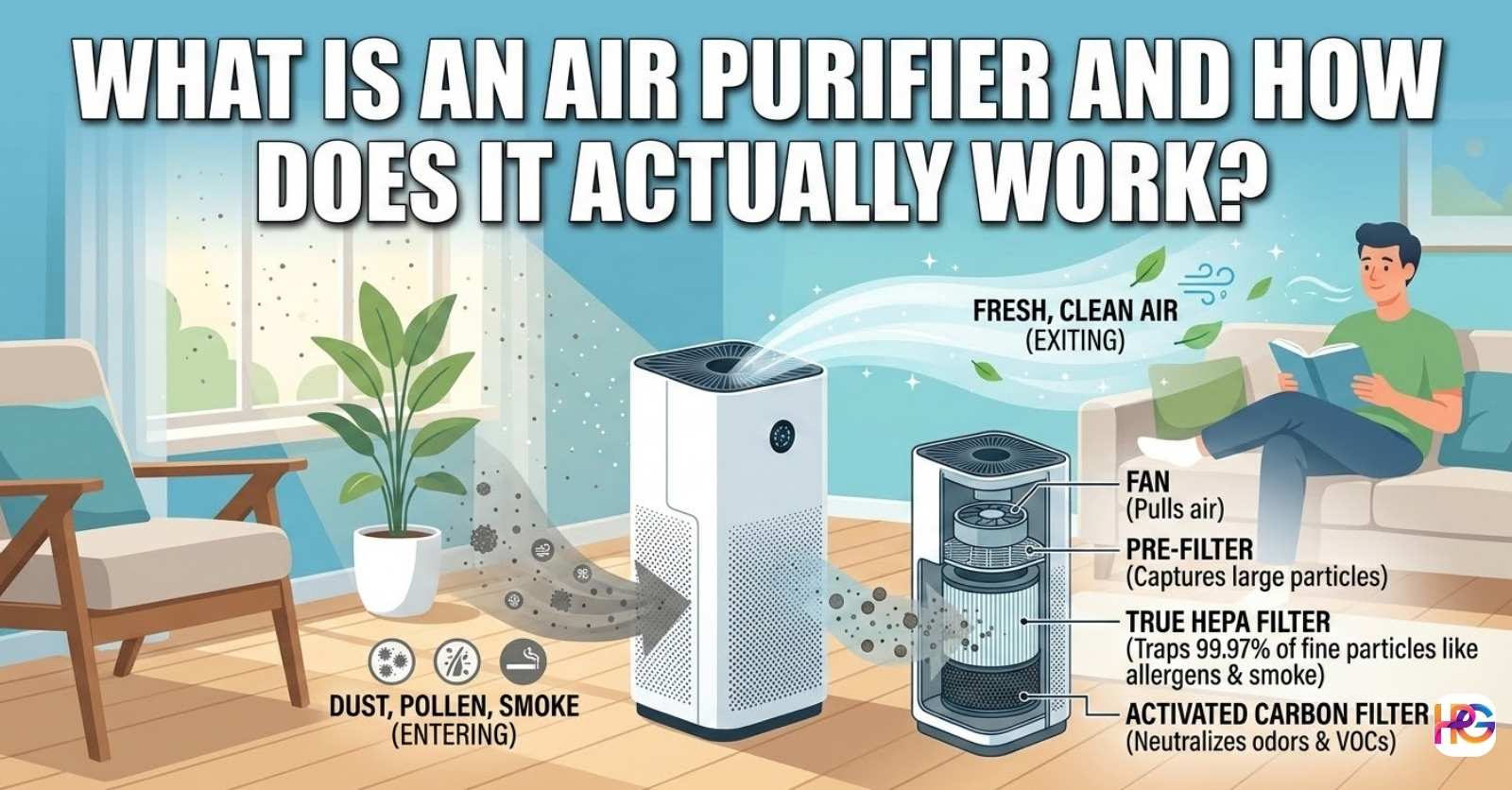
Nobody gets everything perfect on the first try ever. I placed my first machine right against the sofa back. Blocking the air intake vents was a very unwise move. The fan spun fast but no clean air came out. The motor whined loudly and pulled max power all day. Pulling it away from the furniture fixed the noise instantly. Machines need open space to breathe properly. Giving your tools room to work is a basic rule.
Fixing the Laser Sensor Tool
Over time, the auto mode might start acting erratic. My fan kept running on high speed for no reason. The air in my house was perfectly clean and clear. I thought the whole motor was broken forever. Taking tools apart is a fun hobby of mine. I grabbed a small screwdriver and opened the side panel. A tiny glass lens sits inside a plastic box. This is the laser sensor that reads the dust levels.
A Simple Cotton Swab Fix
Dust can stick directly to the tiny glass lens. The laser thinks the room is full of thick smoke. The fan spins at max speed and eats up power. I dipped a soft cotton swab in rubbing alcohol. Wiping the little lens gently removed a black smudge. Putting the cover back on took just one minute. I plugged the cord back into the wall outlet. The fan dropped to whisper mode right away. Simple home repairs like this save you from buying new gear.
Smart Features and Tiny Power Drains
Modern air cleaners come with wifi and shiny screens. My newest model links directly to my phone app. I can check my room air quality from work. These smart chips do pull a tiny bit of power. We call this phantom drain in the testing world. It uses maybe one or two extra watts an hour. I think the trade off is actually worth it. The app tells me exactly when to wash the pre filter.
Using Auto Mode to Save Cash
The best feature on new models is the auto setting. A laser sensor watches the air for floating dust. The fan stays on ultra low when the room is clean. Burning a piece of toast wakes the machine up fast. The fan speeds up until the smoke is totally gone. Then it goes back to sleep mode right away. This smart shifting saves a ton of electricity every week. I never touch the dials anymore.
Tips to Maximize Your Indoor Air Quality
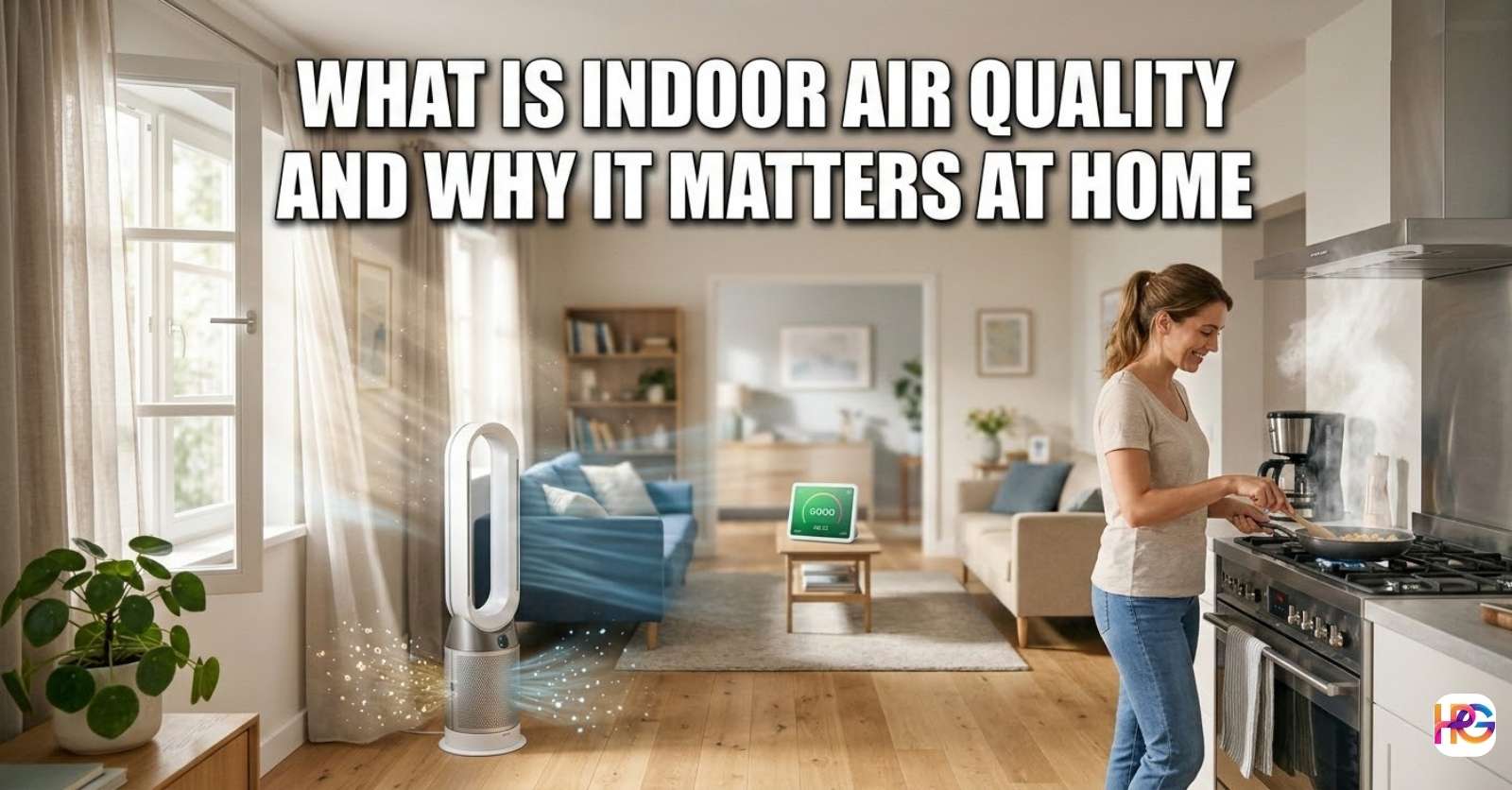
Buying a machine is only part of the battle. You have to use your house smartly too. Leaving windows open while the unit runs is totally useless. You are just trying to filter the whole neighborhood. I close all my windows when the pollen gets bad. Running the air conditioning helps pull moisture out. The HEPA filter catches the dry dust floating around. Your whole house works together as a connected system.
Cleaning the Washable Parts
Most good machines have a plastic screen on the outside. This outer layer catches big dog hairs and dust bunnies. I pull this screen off every two weeks for a wash. Rinsing it in the sink takes less than a minute. Letting it dry fully stops mold from growing inside. Keeping this outer screen clean saves the inner paper filter. The inner HEPA part lasts twice as long this way. Routine cleaning is the best way to save money.
Final Thoughts on the True Costs
Worrying about the power bill is a normal human thing. We all want to keep our daily costs down. Testing these machines showed me they are incredibly cheap tools. Five or six dollars a month is a tiny price. Waking up without a stuffed nose is priceless to me. Home Pick Guide is all about finding smart life solutions. This is one tool I gladly leave plugged in. I hope my testing journey helps you breathe easier today.
FAQs:
Will running my air purifier 24/7 trip a breaker in my shop?
Standard units pull very low wattage, usually around 50 watts. You can safely run one alongside your power tools. Just avoid sharing a plug with a heavy space heater.
Do clogged HEPA filters actually damage the internal motor?
Yes, thick dust forces the motor to work much harder. This creates extra heat and can shorten the tool’s life. Replace filters often to keep the motor running cool and smooth.
Is an Energy Star model worth the extra cost for a garage?
These models are 40% more efficient than standard units. They use high-quality fans to move more air with less power. The energy savings will pay for your replacement filters over time.
How do I fix a dusty sensor that won’t read air quality?
Open the side panel and find the small laser lens. Use a soft cotton swab and rubbing alcohol to wipe it clean. This simple fix stops the fan from running on high all day.
Can I use a smart plug to track the electricity draw of my unit?
A smart plug is a great tool to monitor real-time power use. Brands like Kasa or Wemo show you exactly how many watts your machine pulls. It helps you find the cheapest fan settings.