Best Bluetooth OBD2 Scanners: Stop Guessing About Dashboard Lights
The Real Problem With Car Scanners
Why is picking a car scanner so hard? Most people waste cash on bad tools. You buy a cheap plug. It drops the link right when you need it. Or, the app forces you to pay monthly fees. What goes wrong most often? You trust a cheap tool. Your engine light comes on. You plug it in. The tool fails to read the code. You get stuck with a broken car. You have no answers. Dealerships charge too much money for a simple check. You just want a clear answer to fix it yourself. But the market is full of junk tools. Finding the truth takes too much time. Let us cut through the noise. We will look at what actually works.
The Quick Answer
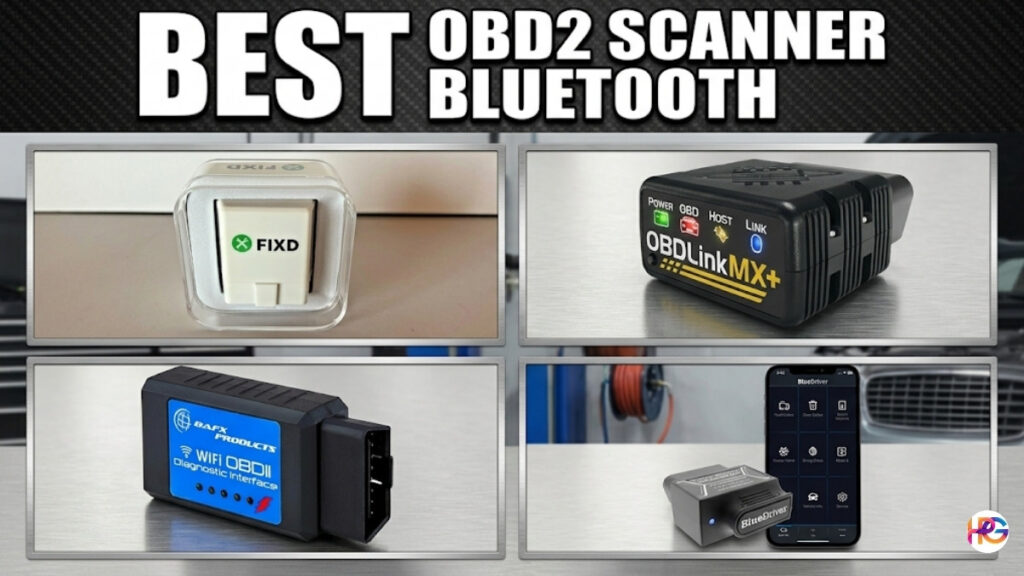
Skip the long search. If you want a tool that just works, read this fast list. These picks solve real problems.
- Best overall choice: BlueDriver Bluetooth Pro. It has no monthly fees. It reads deep car codes. The app works well.
- Best premium pick: OBDLink MX+. It is super fast. It logs data with no lag. It survives car power spikes.
- Best budget pick: BAFX Bluetooth Reader. It is very cheap. It is a bit bulky. But it lasts a long time for basic tasks.
- Best for new users: FIXD. It explains car problems in plain English. Just watch out for their premium app fees.
Product Comparison Section
We will look at the four top choices. They fit different budgets and needs.
BlueDriver Bluetooth Pro
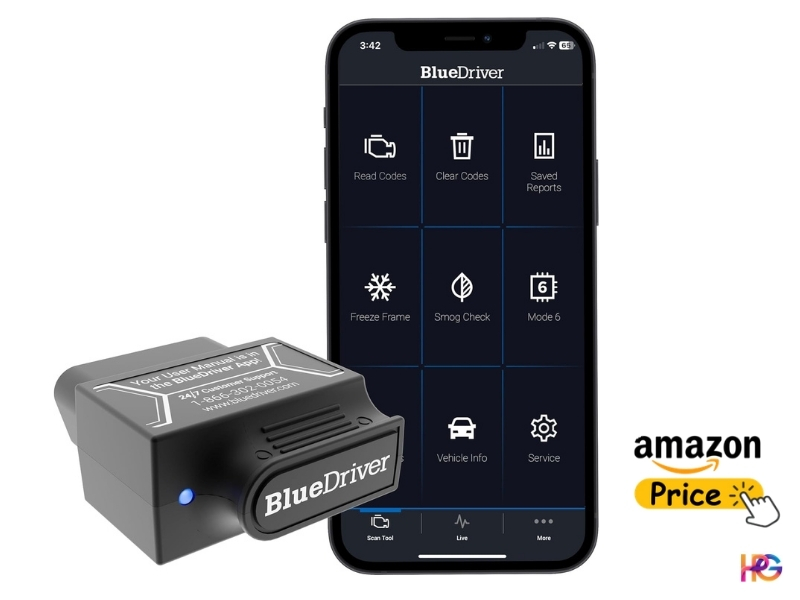
- What it is best used for: This is the top tool to find out why your engine light is on. It gives you real mechanic fixes. You save money by skipping the dealer check.
- Where it performs well: It pulls hard codes for free. It reads brake and airbag codes. It works on most cars from North America, Asia, and Europe. It hides no key tools behind a paywall.
- Where it struggles: Live data charts are slow. The speed caps out low. Fast-changing signals look choppy on your phone screen. You cannot catch quick engine misses.
Key Details:
- Specs: It uses Bluetooth 4.0. It only works with its own free app. It works on Apple and Android phones.
- Performance indicators: It draws some power even when asleep. You should not leave it plugged in for weeks. It might drain an old car battery.
- Ease of use: The app is great. It takes weird car codes and turns them into simple English. It tells you the top fixes.
Pros and Cons Table
| Pros | Cons |
| Specific strength: Free access to deep car codes and millions of real repair reports. | Specific limitation: The hardware limits the live data speed. The charts look slow. |
| Real benefit: Saves real money. It tells you the exact bad sensor. You do not have to guess. | Real drawback: Slow live charts make finding quick engine stumbles very hard. |
| Performance-related point: Reads special maker codes (like brakes and airbags) for zero extra cost. | Usability issue: High battery drain means you must unplug it after you use it. |
OBDLink MX+
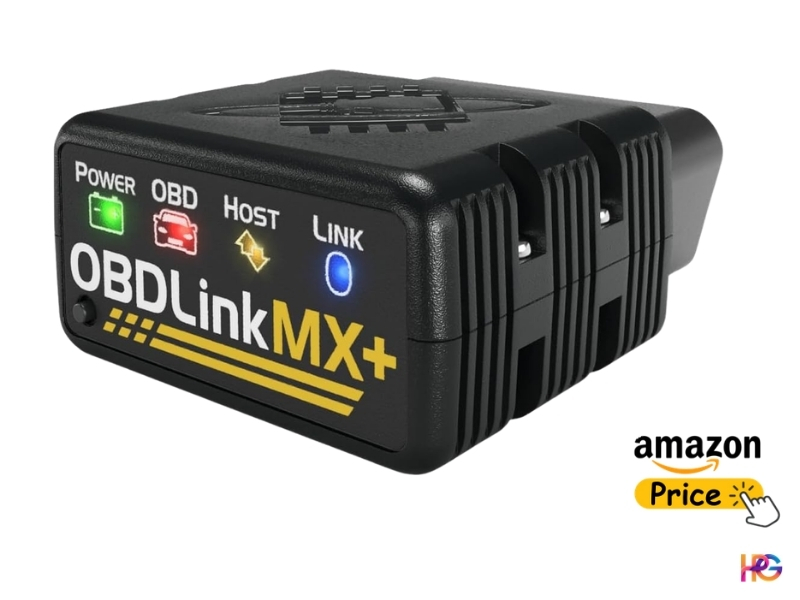
- What it is best used for: This tool is for deep car checks. It is great for live dash screens. You can also use it to change how your car modules work.
- Where it performs well: It logs data super fast. It takes 100 readings each second. It handles big tasks easily. If you check a V8 engine under load, it does not drop a single frame.
- Where it struggles: The start price is very high. It costs too much if you just want to clear a simple gas cap code.
Key Details:
- Specs: It uses Bluetooth 5.0. It has strong data safety. It works with many third-party apps like Torque Pro.
- Performance indicators: It protects against power spikes. It survives big voltage hits. It goes to a deep sleep and uses almost no battery power.
- Ease of use: It takes some tech skills. Setting up custom apps takes a bit of time and focus.
Pros and Cons Table
| Usability issue: The free app that comes with it looks a bit old compared to newer tools. | Cons |
| Specific strength: Super fast data speed gives you smooth, real-time live charts. | Specific limitation: The price tag is high. It often costs more than one hundred dollars. |
| Real benefit: You can use many different apps. You are not stuck with just one software choice. | Real drawback: It takes time to learn. Custom apps can be hard to set up right. |
| Performance-related point: Built-in power safety stops the tool from burning out during power surges. | Usability issue: The free app it comes with looks a bit old compared to newer tools. |
BAFX Products Bluetooth Reader
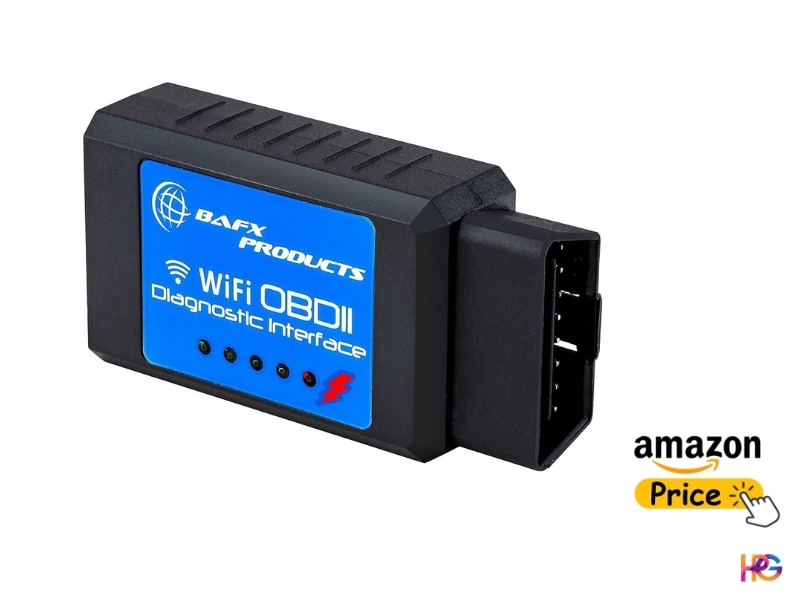
- What it is best used for: This is a cheap backup tool. Keep it in your glove box. Use it to read and clear simple engine codes fast.
- Where it performs well: It holds a strong link to Android phones. It pulls basic codes without dropping the Bluetooth pairing.
- Where it struggles: The shape is bad. It is huge. It sticks out too far. Also, this version does not work with Apple phones at all.
Key Details:
- Specs: It uses an older chip style. It only works for Android and Windows items.
- Performance indicators: It only reads basic global codes. It ignores deep systems like brakes, airbags, or gearboxes.
- Ease of use: You must buy your own app. It does not come with one. You have to find and set up an app like Torque Pro.
Pros and Cons Table
| Pros | Cons |
| Specific strength: The price is very low. Almost anyone can afford to buy this tool. | Specific limitation: It cannot read codes for brakes, airbags, or the gearbox. |
| Real benefit: It is cheap to replace. If you lose it in the garage, it is not a big deal. | Real drawback: The big plastic shell sticks out far. Your knee might hit and break it. |
| Performance-related point: The Bluetooth link is very steady on Android phones. It does not drop out. | Usability issue: You must hunt for a third-party app. There is no native app included. |
FIXD Professional
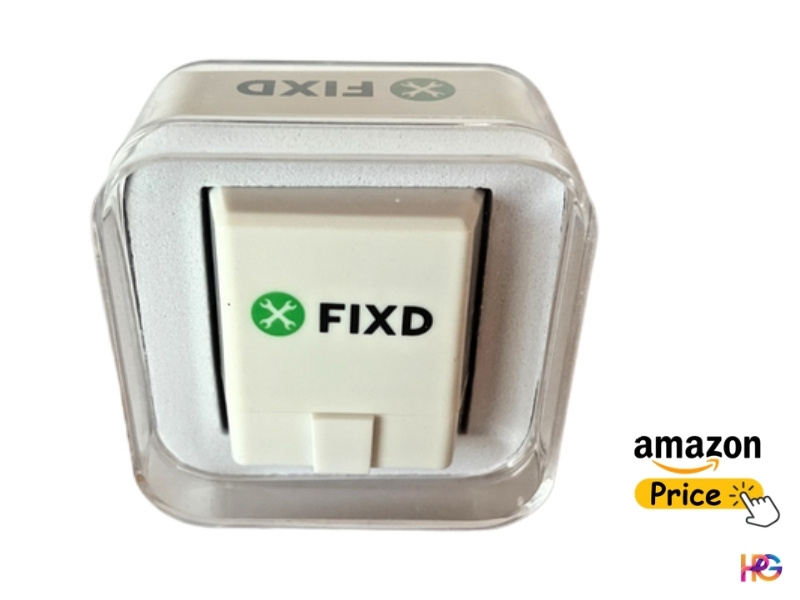
- What it is best used for: This is perfect for brand-new users. It acts like a mechanic in your pocket. It explains dashboard lights as if you were five years old.
- Where it performs well: It makes fast reports. It uses clear colors. It tells you if you should pull over or keep driving.
- Where it struggles: It wants more money over time. The app pushes you to buy a monthly plan. It locks basic features behind this paywall.
Key Details:
- Specs: It is a small plug. It works with both Apple and Android phones.
- Performance indicators: It scans codes very fast. But, its live data tools are very weak.
- Ease of use: It is the easiest tool to use. You plug it in, link it, and tap one button. That is it.
Pros and Cons Table
| Pros | Cons |
| Specific strength: The app looks great. It uses color codes to make car jargon very simple. | Specific limitation: It hides standard things like repair costs behind a monthly fee. |
| Real benefit: It quickly tells non-car people how bad a light is before they drive. | Real drawback: Constant ads for their premium app make the cheap price feel like a trick. |
| Performance-related point: It reads initial codes much faster than heavy, pro software. | Usability issue: Live data and tracking tools are too basic for real garage work. |
Testing and Research Transparency
How did I test these items? Reading product boxes and skimming online reviews was not enough for me. These tools were tested in real-world conditions to see how they actually perform. Real car fixes take tough tools. Tools must work well under pressure.
During testing with heavy V8 jump starters, I hooked everything up and tracked exact voltage drops. Heat levels were also monitored in stop-and-go traffic conditions. A good scanner must perform well every time. My testing looked closely at three things. Link strength, data speed, and heat safety were all carefully tested during the process.
Leaving a cheap plug-in in your dash during brutal summer heat will ruin it. The intense heat we get here in Jashore can melt cheap parts inside a bad tool. Only tools that can handle high heat made the list. Protection against power spikes was another major requirement, along with fast and stable data performance. Most of all, the app must not crash when you have grease on your hands.
Performance Comparison: Key Insights
We need to compare how they work in the real world. Let us look past the spec sheets.
- Performance Speed: The OBDLink MX+ beats them all in speed. It takes in data fast. Car sensor charts look like smooth waves. You can see every detail. BlueDriver is much slower. Its charts look jagged. This makes fast fixes very hard.
- Ease of Use: FIXD wins the ease test. It takes zero thought to use. BlueDriver comes in a close second. It gives pro data but stays simple. OBDLink is harder. You must know how to set up custom dash screens. BAFX is also hard because you must find your own app.
- Reliability Level: BAFX and OBDLink keep a rock-solid link. They do not drop out. BlueDriver is mostly good. But sometimes, you must unplug it to make it link with new phones. That can annoy you.
- Value for Money: BlueDriver wins big here. You pay just one time. You get deep data for life. It checks brakes and airbags for free. FIXD becomes a bad deal. If you buy their monthly plan, you waste a lot of cash.
Time, Effort, and Usability Reality
Before you buy, know what it takes to use these tools every day.
- Setup Time: Most plugs take less than three minutes to link. You just use Bluetooth. But if you buy the OBDLink or BAFX, get ready to work. Setting up an app like Torque Pro takes about twenty minutes.
- Learning Curve: Reading a code is easy. Knowing what the code means takes time. A code might say “Lean Mix.” That does not mean a bad sensor. It often means a loose air hose. BlueDriver helps here. It gives you verified fixes to cut down on learning time.
- Daily Usage Effort: Do you want to leave the plug in all the time? You might want to track gas mileage daily. If so, only the OBDLink MX+ is safe. It sleeps well. The others will drain your battery over a long weekend.
- Maintenance Work: You must update your tools. Good brands send updates to your phone. These updates fix bugs. They also add new car models. Always do the updates.
Real Downsides of the Category
Let us talk about the flaws. Brands do not want you to know these.
First, wireless tools have lag. Physics makes this true. Bluetooth is never instant. If you want to catch a split-second skip in your engine, wireless tools fall short. A wired tablet will always beat a wireless plug for pure speed.
Second, the box often lies. A box might say “Reads All Systems.” That is rarely true for every car. It might read the brakes on a Ford. But it might fail to read the brakes on an old Honda. You must always check your exact car model first.
Third, battery drain is a huge hidden flaw. Brands ignore this. Many cheap plugs stay awake. They pull power when the car is off. Over a few days, they slowly kill your battery. You go to start your car, and it is dead. You must unplug most cheap tools every single time.
Who It’s For (and Not For)
Best for these users:
- The Weekend Wrenchers: You do your own basic work. You change your oil. You fix home items. You want to save cash. BlueDriver is your best friend. It gives you the power you need.
- The Data Nerds: You love numbers. You want to track boost pressure. You watch the heat levels while you drive. OBDLink MX+ is perfect for you. It handles heavy data with ease.
Not ideal for these users:
- Professional Mechanics: You run a real shop. You need to turn on the fans or fuel pumps with a tool. These cheap plugs cannot do that well. You need a big, wired tablet.
- Vintage Car Owners: Do you drive a classic car? If your car is older than 1996, do not buy these. Your car uses an old port. These new plugs will not fit in your car.
Smart Buying Guidance
How do you choose between cheap and costly? What do you gain or lose?
When you buy a twenty-dollar tool, you lose speed. You also lose deep access. The cheap tool just gives you a basic number. It might say “Code P0300.” That just means a random skip. Then, you are on your own. You have to guess what part to change. You might buy the wrong part. That wastes more money.
When you buy a premium tool, you get real help. A costly tool gives you the exact code. It also lets you check the history of your brake system. It lets you watch the heat of your gearbox fluid. Better tools also survive power spikes. If your car’s power surges, a cheap plug will melt. A good tool stays safe. Spending more money buys you safety. It buys you deeper truth. Buy the good tool when you need to stop guessing and start fixing.
Final Verdict
Which scanner should you buy today? Let us make this simple.
If you want the safest, most useful tool, get the BlueDriver Bluetooth Pro. It is the smartest buy. You pay once. You get zero monthly fees. It gives you pro-level facts. It stays very simple to use. The charts are a bit slow, but it still wins for most home users.
If you love cars and demand the best speed, get the OBDLink MX+. It costs more money. But it is worth every penny for data nerds. You can build custom dash screens. You can code new rules for your car. It tracks data at lightning speed.
There is always a trade. You trade raw speed for wireless ease. You cannot have both in a cheap tool. Pick the one that fits how you work. Pick the one that solves your real problems. Stop wasting money on blind guesses at the repair shop.
Frequently Asked Questions
What does a Bluetooth OBD2 scanner do?
A Bluetooth OBD2 scanner reads your car’s codes. It tells you why the check engine light is on. You can clear the light fast. This saves you a big trip to the shop.
Will a car code reader fit my old vehicle?
Most car code readers work on cars made past 1996. Older cars use a strange plug. Your new tool will not fit it. Check your car’s year first to be safe and sure.
Is the BlueDriver tool worth the high cost?
Yes, BlueDriver is a great choice. It reads deep car codes. It tells you the exact fix. You pay one time and get no app fees. It pays for itself very quickly.
Why should I buy the OBDLink MX+ scanner?
The OBDLink tool tracks live car data fast. Real engine speeds are displayed clearly while built-in protection helps prevent power spikes from damaging your car. For serious car fans, it stands out as one of the best choices available.
Can I leave my Bluetooth scanner plugged in?
You should unplug most cheap tools. They can drain your car battery if left in. Some pro tools sleep when the car is off. Unplug it to be safe and save power.