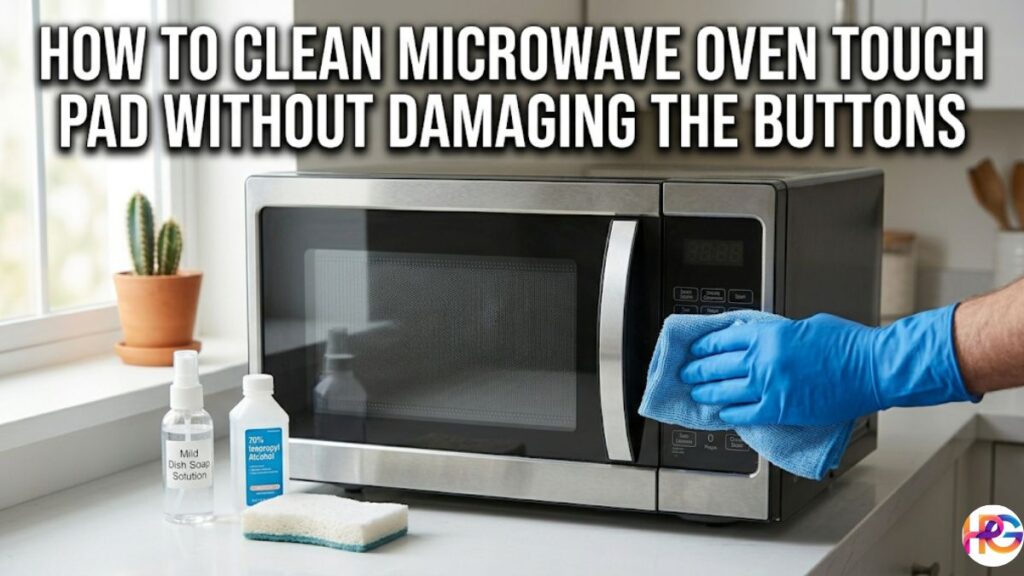
I work in hot Texas. My GE tech got full of grease. Many ask me how to clean microwave oven touch pad without damaging the buttons. This guide will help. We can clean it safely.
Why Your Microwave Touch Pad Gets So Gross (And Why Proper Cleaning Matters)
After a long Tuesday, you just want quick, hot food. But then the spaghetti sauce explodes. It happens to all of us. Over time, your microwave oven touch pad collects cooking grease, fingerprints, and tiny food crumbs. I have seen this first-hand in my own kitchen. The buttons get stiff and hard to press. It just feels gross and sticky under your fingers.
Why does proper cleaning matter? Beneath that smooth plastic layer are tiny, sensitive membrane switches. If heavy grease or moisture gets inside, the buttons will die. I learned this the hard way. Skipping a quick wipe turned into a big headache for me. Cleaning it right prevents a dead keypad. It saves you from costly repairs and keeps your kitchen running smoothly.
Safety First: Prep Steps Before You Touch That Pad
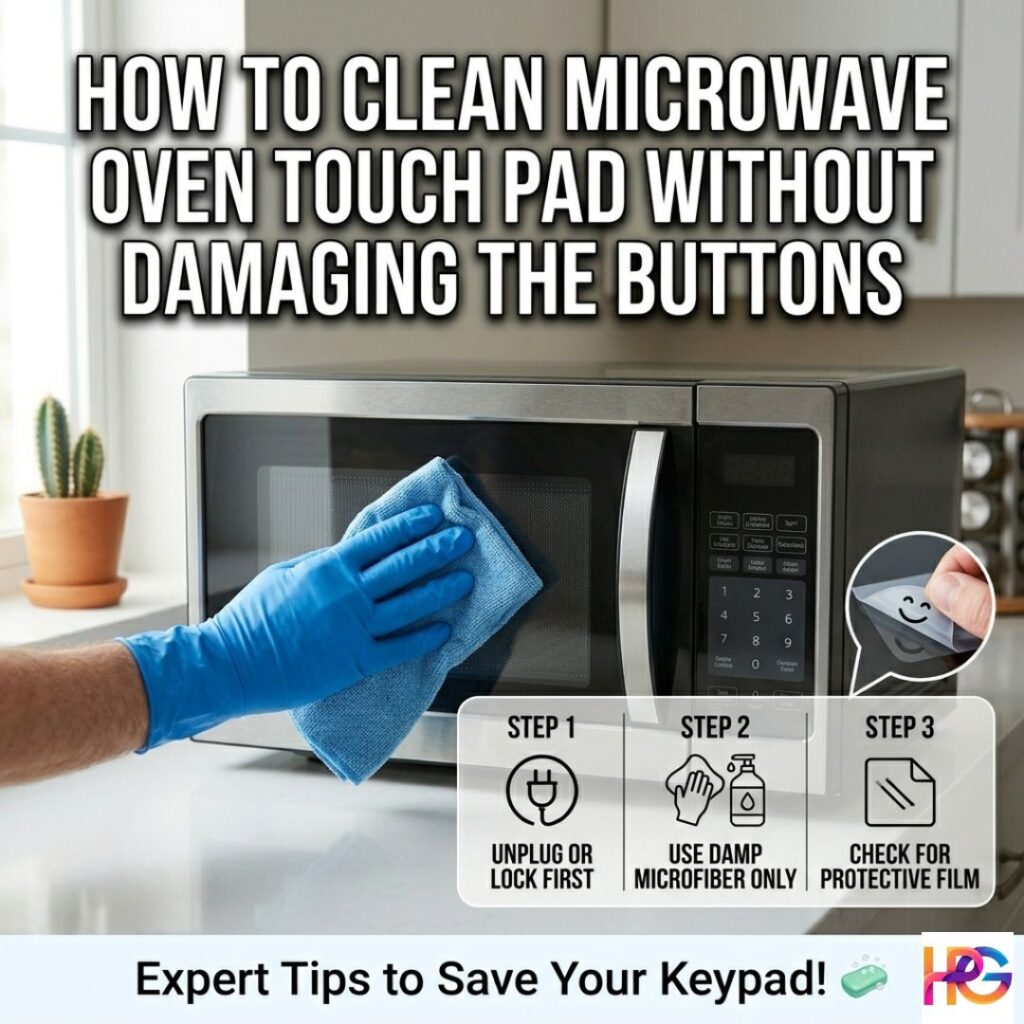
Always start with basic safety. You want to avoid electrical shocks. You also want to stop liquid damage. Plus, you really do not want to turn the oven on by mistake while scrubbing! Here is my simple prep routine.
- Unplug the cord: Or, turn on the control lock if your model has one. Most modern ones do. I always lock mine first.
- Gather your supplies: Grab a clean microfiber cloth and mild dish soap. You will also need 70% isopropyl alcohol, distilled water, and a very soft sponge.
- Turn on bright lights: I once tried to clean mine during a dim Texas evening. The next morning, the panel looked like a smeared, cloudy mess! Good light is a must to spot hidden grime.
- Test a small spot: Pick a tiny bottom corner first. Be patient here. Testing saves you from ruining the whole front panel with the wrong cleaner.
Is There a Protective Film on Your Microwave Keypad? How to Check and Remove It
Many folks ask me about that ugly peeling layer on the front. Should it stay or go? Here is the truth from my own home.
New models often ship with a thin clear or blue plastic film. It covers your microwave oven touch pad and buttons. This layer prevents scratches during shipping. But if you leave it on for years, it traps gross grime. I noticed this after a humid July week in Houston. The edges bubbled up and felt super sticky under my thumb.
Here is how I safely take it off.
- Lift a corner: Gently pick at an edge with your fingernail. A small piece of tape works well too.
- Pull very slow: Peel the film back at a simple 45-degree angle. Take your time.
- Use gentle heat: Has that film been on for three long years? It might fight back. I use a hairdryer on low heat. The warm air quickly loosens the stubborn glue.
- Wipe the glue: Clean any leftover sticky spots. Use a soft cloth with warm soapy water or rubbing alcohol.
Here is a funny tip. That peeling control panel you thought was dying? It was likely just old factory film throwing a fit! Peeling it off is oddly satisfying. It feels like taking off a giant, sticky label. Underneath, your buttons will look crisp, smooth, and brand new.
Should You Remove the Plastic Film Inside the Microwave Door?
Yes, take it off if it is just a thin shipping layer. But, you must be careful here. Never peel away thick internal safety seals. Do not remove real door parts. Just pull off the flimsy, clear plastic from the factory.
Step-by-Step: How to Clean a Touchpad on a Microwave Safely
Here is my proven plan. If you need to know how to clean microwave oven touch pad without damaging the buttons, this works on most models. It keeps your electronics very safe.
- Light Daily Clean: Take a soft cloth. Make it damp, but do not soak it. Use mild dish soap and warm water. Wipe the panel in gentle circles. Dry it fast with a fresh cloth. I do this every Sunday. It stops bad buildup after a big cook.
- Sticky Residue Attack: Do you have grimy, dead buttons? Use rubbing alcohol on a coffee filter. Press lightly on the bad button. Hold it for ten seconds. Then, wipe the dirt away. Let the air dry it fully.
- Deep Clean for Tough Grime: Mix one drop of soap into distilled water. Use the damp cloth trick again. Never spray liquid right on the panel! Moisture can seep under the membrane. This will cause a bad short. I saw this often when fixing old microwave parts.
I love that fresh, clean plastic smell after a wipe. It always makes me smile. It feels like my kitchen is ready for the week. Even on a hot, sticky Florida day, this method wins.
What Cleaners and Tools to Avoid on Your Microwave Control Panel
Some popular cleaning tricks can ruin your microwave oven touch pad very fast. Here is what you must not do. I tried some of these and deeply regret it.
- Skip the Magic Eraser: I love these for dirty walls. But, keep them far away from your keypad. They are way too rough. They will scratch and dull the smooth surface in seconds.
- No harsh chemicals: Do not use bleach, strong ammonia, or heavy vinegar. Rough powders are bad too. They will eat right through the thin plastic cover.
- Ditch the rough stuff: Never use steel wool or gritty sponges. Even cheap paper towels can leave scratchy lint behind.
- Never spray directly: Always spray your soft cloth first. Never shoot liquid right at the sensitive buttons.
Let me share a funny story. One cold Thanksgiving in Chicago, a sweet guest tried to help me clean up. They took a dripping wet rag right to the front panel. The buttons went totally silent for a full day! My heart sank into my stomach. The clear lesson here is simple. Gentle care is always the key.
How to Clean an Oven Touchpad or Control Board
Do you have a dirty wall oven or range? The exact same rules apply here. Keep your cleaning tools as dry as you can. Water and big control boards do not mix well. Always check your manual for exact steps. But, a gentle, barely damp wipe is always your safest bet.
Can You Wash Oven Pads or Use Water-Heavy Methods?
Can you wash the whole pad in the sink? The short answer is a big no. You cannot use heavy water here.
Your microwave oven touch pad is not a simple plastic lid. It is a complex membrane keypad. If you soak it, water gets trapped inside. It will quickly ruin the tiny conductive traces underneath. I broke an old unit this way years ago. It made a sad, squishy sound when I pressed start. It was an awful feeling.
Please stick to a lightly damp cloth. Make sure to dry it very well. A few rare models have loose covers you can remove. Always check your manual first before you try to wash them.
Troubleshooting After Cleaning: When Buttons Still Don’t Respond
Sometimes, you finish scrubbing and the buttons will not work. Do not panic! Here is how to fix them without stress.
- Wait to dry: Leave the unit alone for fifteen minutes. Let it breathe. Then, plug it back in.
- Check the ribbon cable: Are you handy with tools? Unplug the oven first! Open the panel and find the flat ribbon cable. A gentle wipe of those metal contacts with rubbing alcohol can bring a dead board to life.
- Replace old parts: Sometimes, a deep clean just reveals age. If buttons stay dead, you may need a new membrane or control board. This is very normal for older units.
Let me share a true story. I did a deep wipe down on a very rainy Tuesday. The air was thick and wet. It felt just like a humid Florida summer. In fact, it reminded me of the sticky, wet climate challenges we face right here in Texas. Extra moisture got trapped in the pad. The buttons stopped working. My heart sank into my chest. But, I just let it air dry overnight. The next morning, it worked perfectly again! Patience is truly your best tool.
Preventive Habits to Keep Your Touch Pad Clean Longer
A little daily care beats a big, hard scrub every time. Here is how I protect my microwave oven touch pad from daily dirt.
- Wipe after every use: I do this right after warming up messy, greasy foods. A quick swipe now saves a lot of time later.
- Use a splatter cover: This cheap tool is a life saver. It stops hot soup from painting the inside of your oven.
- Keep your hands clean: I love baking fresh sourdough bread at home. But, I never touch the buttons with sticky dough on my fingers! Always wash your hands first.
- Set a weekly routine: I do a fast, damp wipe every single Sunday morning. It is a calming part of my weekly kitchen reset.
There is a deep, quiet joy in a sparkling kitchen. It feels so good when everything just works right. You never have to mash sticky buttons in anger while your dinner gets cold.
Bonus Kitchen Safety Reminders
While we are here, let us talk about basic safety. Never put metal or aluminum foil inside your oven. It is a classic fire risk. I saw sparks fly once in a tiny Ohio apartment years ago. It scared me half to death!
Also, remember two things you should never microwave. First, do not run it with nothing inside. Second, be very careful with superheated plain liquids. Water can boil over and explode in your face. Always stick to the safety rules in your manual.
Final Thoughts on Maintaining Your Microwave Touch Pad
Your microwave oven touch pad needs gentle care. Treat it just like your clear phone screen. Use mild soap. Never spray water right on it. Dry it very fast. These simple steps truly work magic.
I have kept my keypad looking brand new for many years because I learned how to clean microwave oven touch pad without damaging the buttons. Even with hungry kids running around on a loud Friday night, it stays perfectly clean. I really love the smooth, dry feel of the plastic under my thumb. Plus, it saves power when your buttons work on the very first tap. You never waste time or energy.
Did you finally peel off that stubborn factory sticker? Was it funny or just oddly satisfying? Tell me how it went! Please share your own kitchen cleaning tricks in the comments below. I would love to read them.
Frequently Asked Questions
Q1: Can I use rubbing alcohol to clean my microwave oven touch pad?
Yes, you can use it. Put a little 70% alcohol on a soft cloth to clean a sticky microwave oven touch pad safely. It dries fast and will not cause a short circuit.
Q2: Why did my microwave control panel stop working after a wet wipe?
Water likely got inside the tiny membrane switches. Unplug the unit right away and let it dry for a full day. To avoid this, never spray liquids right on the buttons.
Q3: Is it safe to use a Magic Eraser on a microwave keypad overlay?
No, do not use it. A Magic Eraser is too rough for the plastic overlay. It will create micro-scratches and make the clear screen look cloudy. Stick to a soft microfiber cloth.
Q4: How do I remove old factory film from my microwave touch pad buttons?
Gently lift a corner with your fingernail or tape. Pull it back slowly at a 45-degree angle. If the old film fights back, use a hairdryer on low heat to loosen the glue.
Q5: Can I wash a kitchen oven touchpad with a lot of soapy water?
No, you cannot wash it. Oven control boards have delicate conductive traces. Heavy water will ruin them fast. Only use a lightly damp cloth and dry the surface immediately.